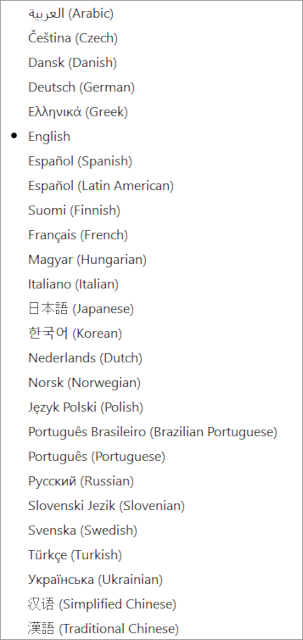
Language Menu
Change the LightBurn program interface language by selecting between 25 supported translations. The currently selected language is indicated by a dot next to the language in the list. English (United States) is enabled by default.
See Create and Edit Text — Text Settings for information on additional text settings. The Right-To-Left setting will automatically be enabled when the current program language is set to Arabic or Hebrew.
The Right-To-Left text setting will automatically be enabled in your Settings when the current program language is set to Arabic or Hebrew.