macOS-Specific Problems
Unable to Connect over Ethernet
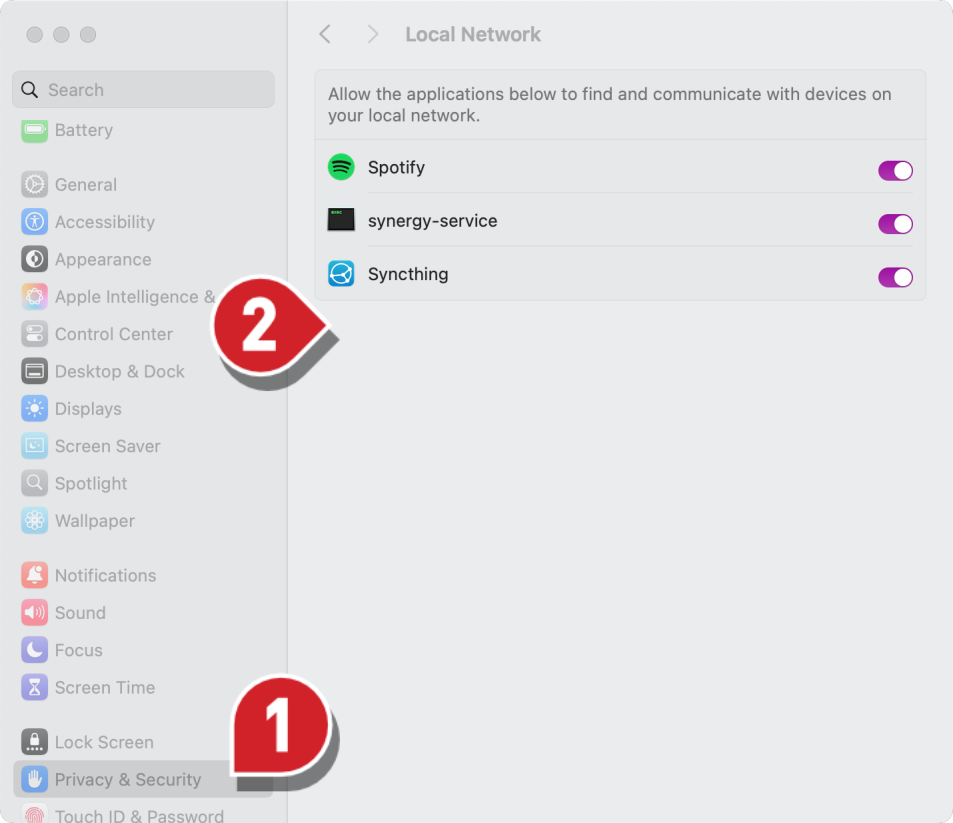
Starting with macOS Sequoia (macOS 15), connecting to a laser over Ethernet requires granting LightBurn access to the local network. If you're using macOS 15 or higher, you'll need to enable this in your computer's settings. To do this:
- Go to the Privacy & Security section of the settings.
- Find LightBurn in the list (not pictured in this screenshot) and enable it.